A little color. A lot of context.
- Up to dateRange accepts latest
- Update availableA newer version exists
- Review neededLow or moderate risk
- Needs attentionInvalid or high-risk
01 / In the editor
Clarity, right beside
the version.
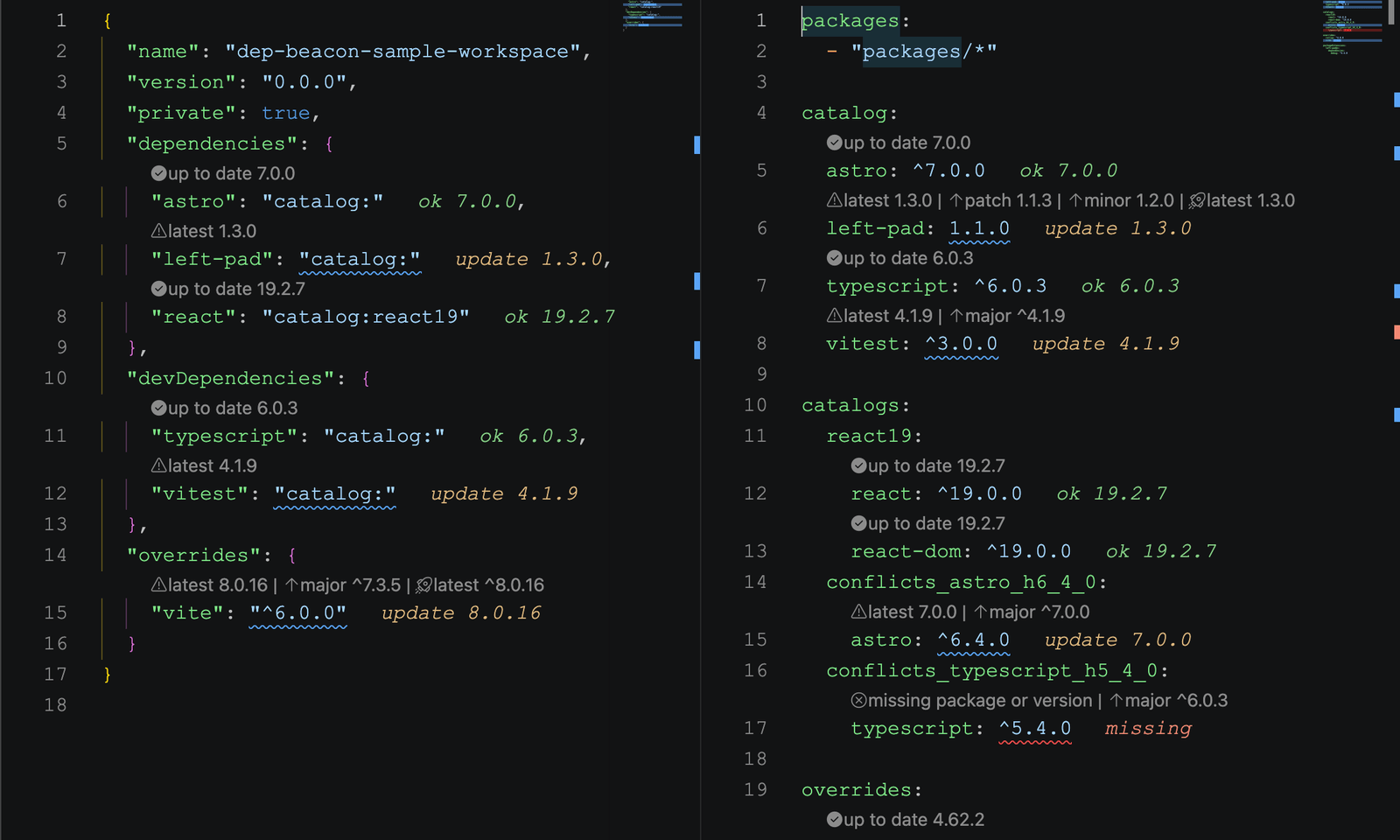
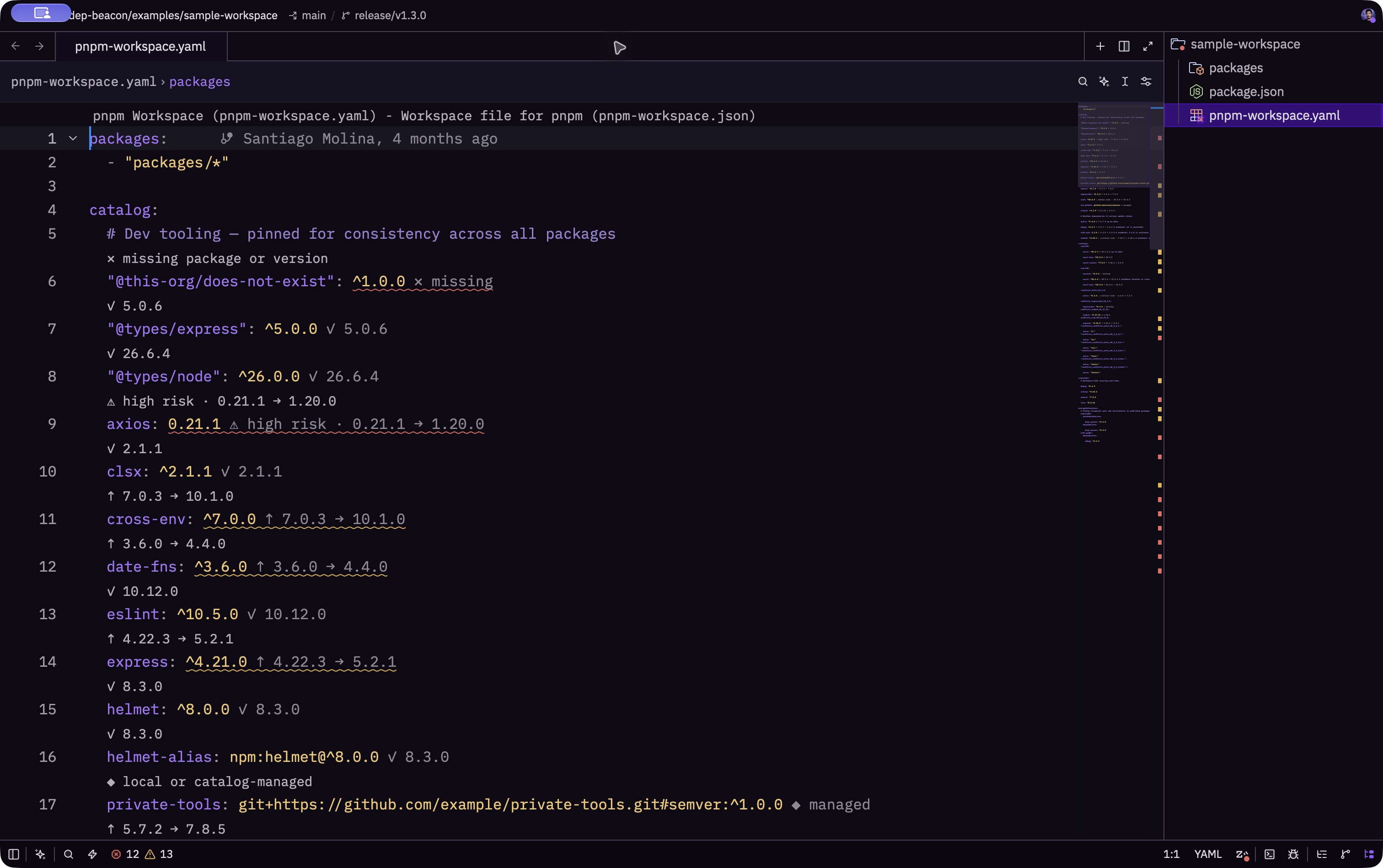
Open a manifest and keep moving. Dep Beacon brings version status and actionable updates into the files where dependency decisions happen.
From the sample workspace
02 / Less searching. More context.
From a dependency line
to a decision.
The useful details stay together: what you have, what comes next, and what deserves a closer look.
Understand the version.
See whether your declared range accepts the latest stable release, then choose a patch, minor, major, or latest update.
Explore update actionsFollow the catalog.
Resolve default and named pnpm catalogs before acting. Keep shared versions connected to their workspace source.
Read the workspace guideRecognize the risk.
OSV advisories bring security context into the manifest, with severity and affected-version information beside the dependency.
Understand security signalsKeep your workflow.
Use the editor you already know. CodeLens, diagnostics, hovers, and update actions put maintenance within reach.
Make it your own03 / Your editor. Your next step.
At home in
your workflow.
One dependency engine, with the right experience for each editor. Start with the guide for your setup.
VS Code
Inline status, CodeLens actions, and security diagnostics. Available through Marketplace and Open VSX.
Explore VS CodeZed
Diagnostics, hovers, and update actions through a shared language server. Open a manifest to get started.
Explore ZedReady when the manifest opens
Follow the next signal.
A small addition to your editor. A clearer view of your dependencies.